
Clicks Are Coming In, but Telegram Leads Are Not: How to Find the Breakpoint with Telegram Expert
The number of clicks in the ad account is growing, but far fewer subscriptions, bot launches, or messages are coming into Telegram. At the same time, the advertising platform shows normal statistics, the page opens, and the operator sees only some of the expected inquiries.
This result is difficult to diagnose using a single metric. Several separate events take place between clicking an ad and processing an inquiry. First, the user clicks the link, then the browser sends a request and loads the page. After that, the person moves to Telegram and performs the target action. For a channel, this is a subscription; for a bot, a launch; for a private conversation, a message.
That is why you need to investigate the entire journey and check each stage separately.
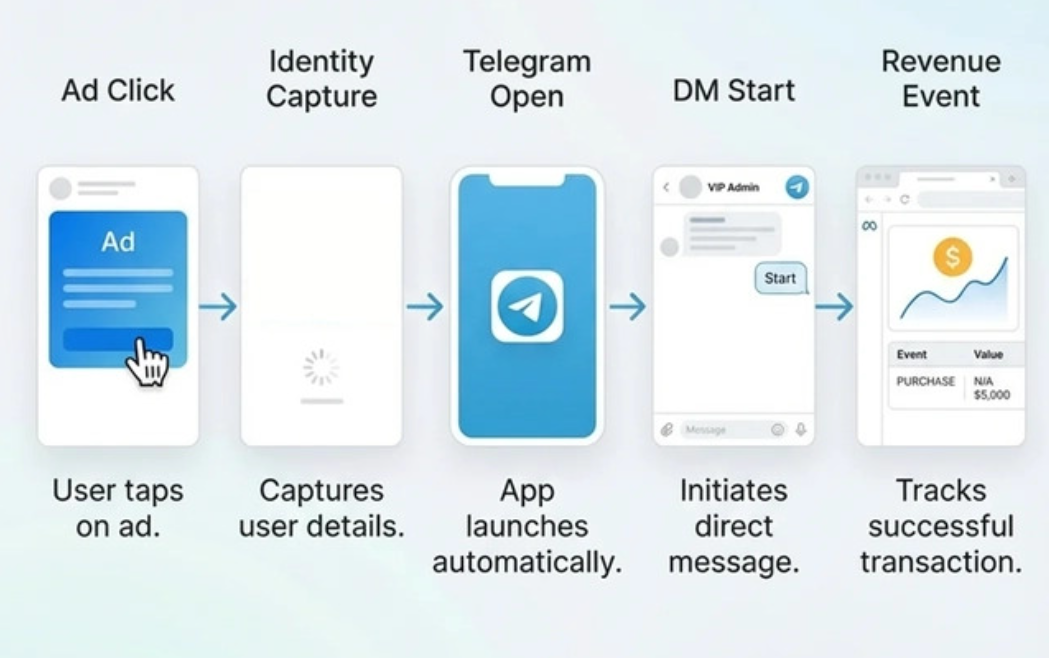
First, Separate the Click, Page Load, and Action in Telegram
The ad account records its own event. The website server sees an incoming request. Telegram receives the user only after the page and link have done their work.
For example, an advertising system may show 1,000 clicks. This does not mean that 1,000 people successfully loaded the page. Some users may have closed the browser earlier, encountered an error, been redirected, or opened the page in an app's built-in browser.
Meta*, for example, tracks link clicks and landing page views separately. The first metric records a click on a link, while the second requires the page to load successfully.
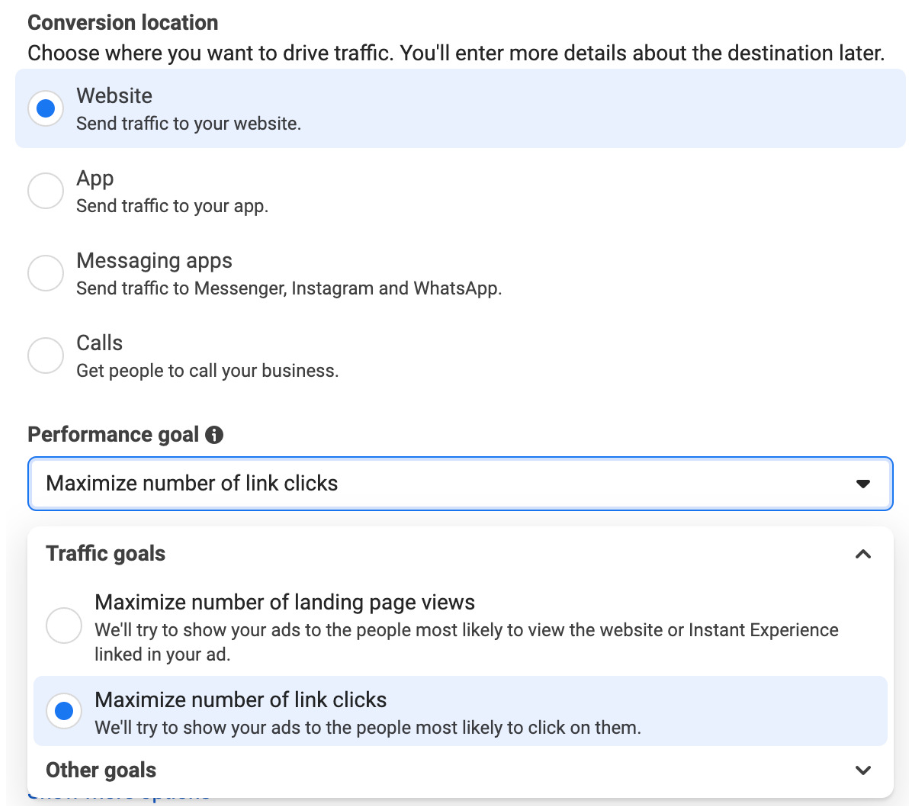
Therefore, diagnosis requires comparing several data sources:
- the ad account shows clicks;
- the server records incoming requests;
- page analytics shows loads and actions;
- Telegram records user transitions and actions;
- the work system shows incoming inquiries and how they are handled.
The first discrepancy already narrows down the search area. If the advertising system shows clicks but the server receives far fewer requests, it is too early to investigate the page and Telegram.
*An organization banned in the Russian Federation
What to Check in Server Statistics
For the selected period, compare the number of requests with advertising clicks. Then check the request time, URL, link parameters, referrer, device, and browser.
It is especially useful to compare the same campaigns by region and device. If the discrepancy appears only on mobile devices or in a single region, you can continue the investigation within that segment.
If requests reach the server, the next question concerns page loading. Check the server response, loading speed, redirects, and errors.
A page may open in a regular browser but behave differently in an app's built-in browser. Therefore, test the link under the same conditions in which a real user receives it.
Check What Happens After Clicking the Telegram Link
The transition to Telegram also consists of several events. Clicking a link does not necessarily mean that the user saw the intended channel, bot, or conversation.
Telegram supports t.me and tg: links, which clients handle as special links. Depending on the link type, it may open a profile, channel, chat, or bot.
The checks differ for each destination.
If the ad leads to a channel, check that the channel opens and that the user can subscribe. If a bot is used, check that the bot opens and that the user starts the flow. For a private conversation, make sure the user can send a message and that the operator receives it.
A Bot Can Receive the Source Through a Link
Telegram supports deep-link parameters for bots. You can add a start parameter to a link, after which the bot receives it along with the /start command. For example, different advertising sources can be associated with different parameter values, allowing the source of a bot launch to be identified on the bot's side.
This method requires the bot itself to process the parameter. The link alone does not create complete attribution.
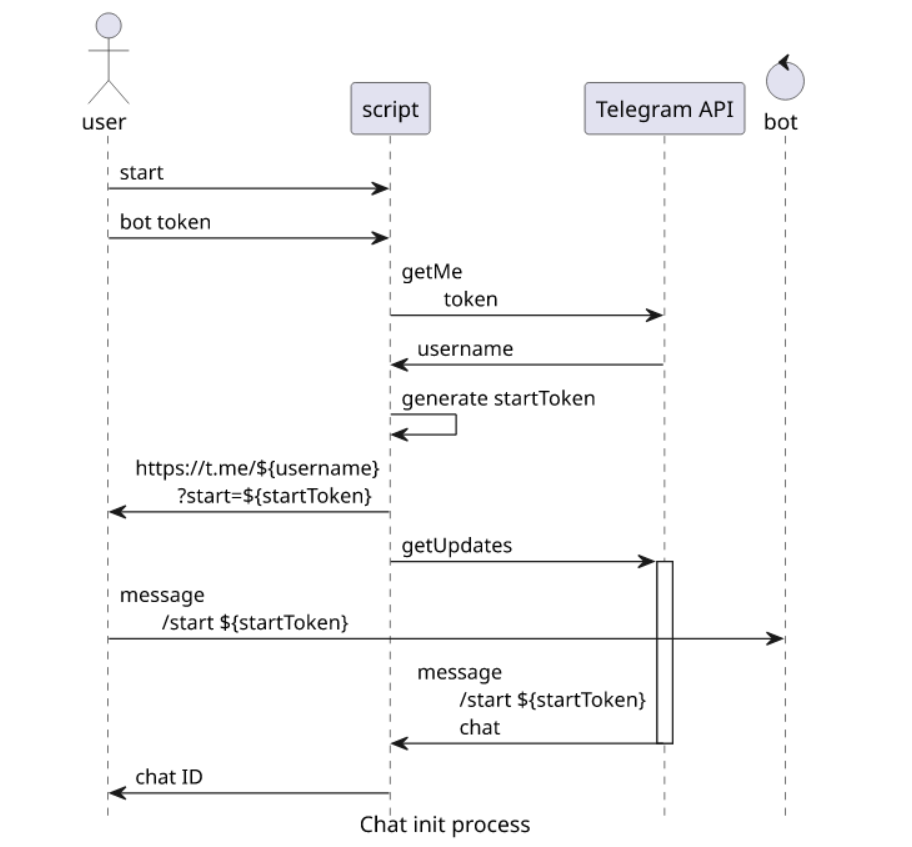
Test the transition in several environments:
- Telegram on Android;
- Telegram on iOS;
- Telegram Desktop;
- a mobile browser;
- the built-in browser of the app the user came from.
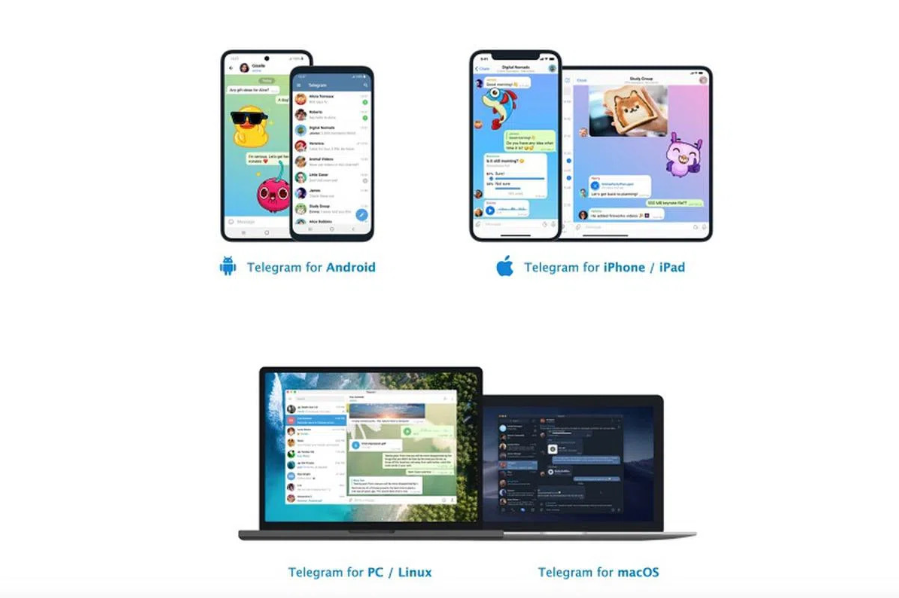
If the campaign runs in several regions, include them in your checks. The same link can produce different results under different conditions.
Compare Advertising Traffic by Segment
Once clicks and requests have been compared, you can examine the traffic structure. A single overall metric does not provide enough information.
Break the data down by campaign, ad, region, device, browser, time, and referrer. If several traffic streams are used, keep them separate.
Cloaking Master statistics provide the following attributes for visits: geography, language, device, operating system, browser, user agent, referrer, VPN/Proxy, and network parameters. The service also shows the reasons visits were filtered.
This helps reveal the structure of the traffic flow. For example, you may notice a sudden increase in visits from one region or a significant difference between mobile and desktop traffic.
However, a single technical attribute does not, by itself, reveal a user's intent. A VPN may be used by an ordinary person. A missing referrer may be caused by the app or browser. Screen size does not determine visitor behavior either.
Therefore, compare each segment with the final action. If one group has many clicks but almost no page loads, the issue is closer to the transition. If the page loads but users rarely open Telegram, check the link and the transition flow. If Telegram opens and users send messages, further analysis concerns inquiry handling.
When working with Telegram Ads, also account for the platform's requirements for destinations. Telegram requires advertised destinations to work and match the ad's content, and prohibits content substitution and cloaking intended to bypass review.
Check the channel, bot, and private conversation separately
These scenarios have different final events, so combining them into a single Telegram-transition metric is not very useful.
- For a channel, the sequence ends with a subscription. If the channel opens but subscriptions are low, examine the destination's content, user expectations, and audience characteristics.
- For a bot, starting the flow matters. The bot may open correctly, but the person may not press the Start button or may not understand the next step.
- For a private conversation, the final event is a message. This adds another stage to the journey: the message must reach the operator.
This is where a practical issue can arise when several Telegram accounts are used. The user has sent a message, but the operator may see the inquiry late or miss it among several chats.
Collect Incoming Messages from Several Accounts in One Place
Telegram Soft Expert works with the part of the process that takes place inside Telegram. The program includes tools for working with accounts, open conversations, and incoming messages.

The “Forwarder” collects personal incoming messages from selected accounts into a work group. The operator receives inquiries in one place and can reply from that group using the original account.
This is convenient to check during troubleshooting. For each test inquiry, you can record the source, transition time, account, whether the message was sent, and when it appeared in the work group.
If there are many messages, the operator does not have to open each account separately and manually search for new conversations.
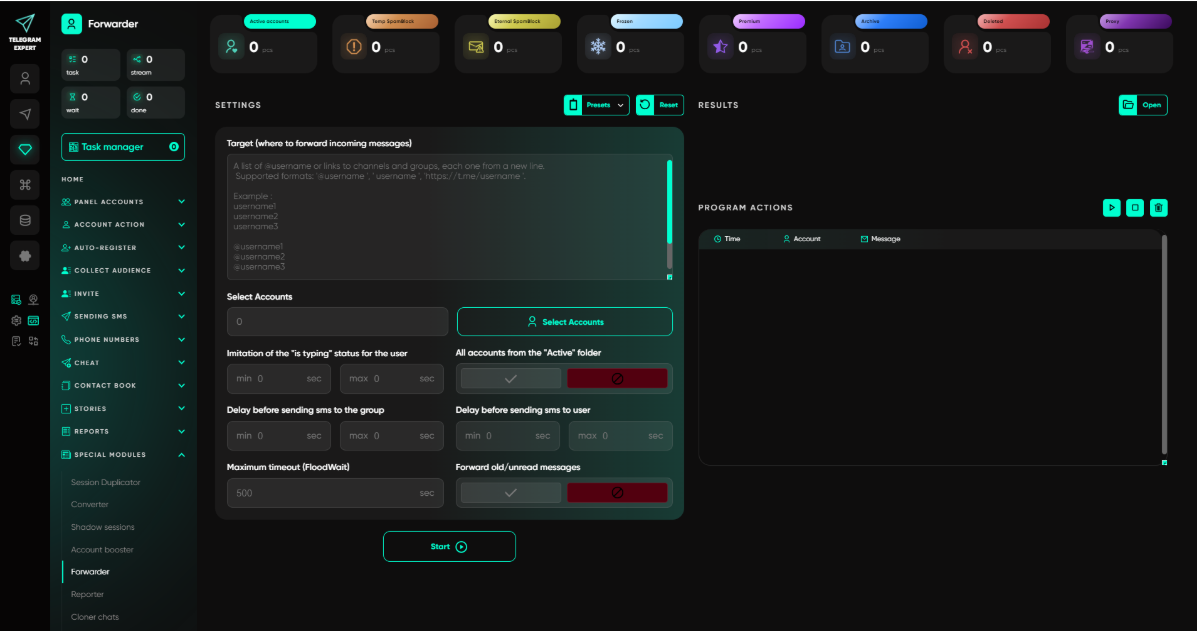
“Open Dialogs” is suitable for working with users whose conversations have already started. The autoresponder can automatically send a predefined reply to an incoming message.
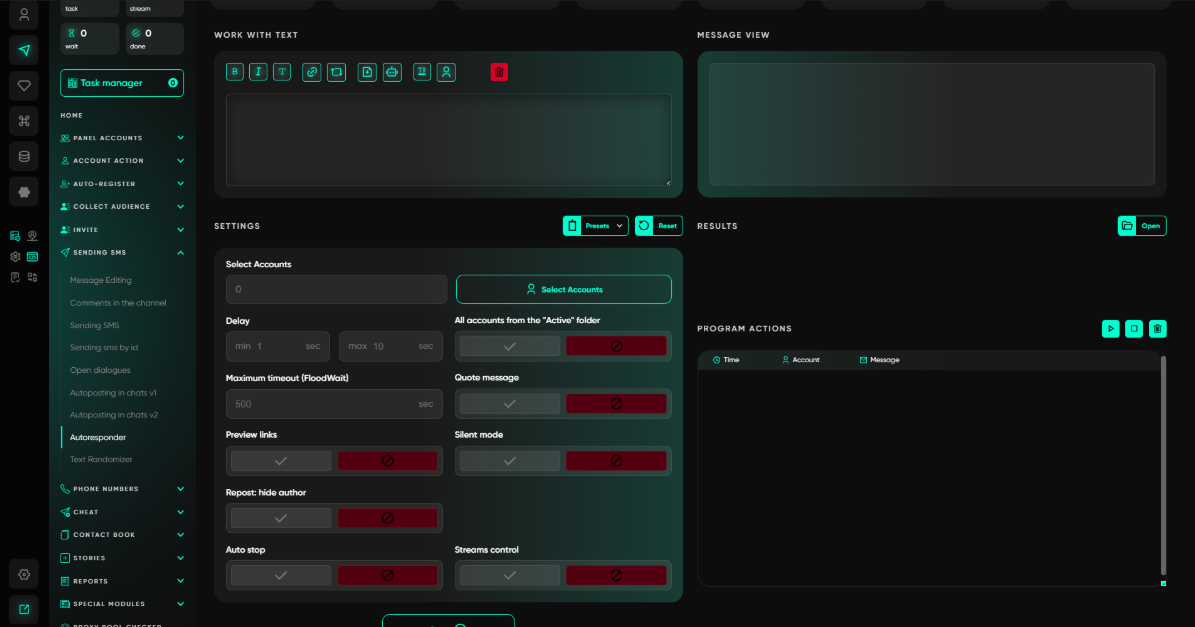
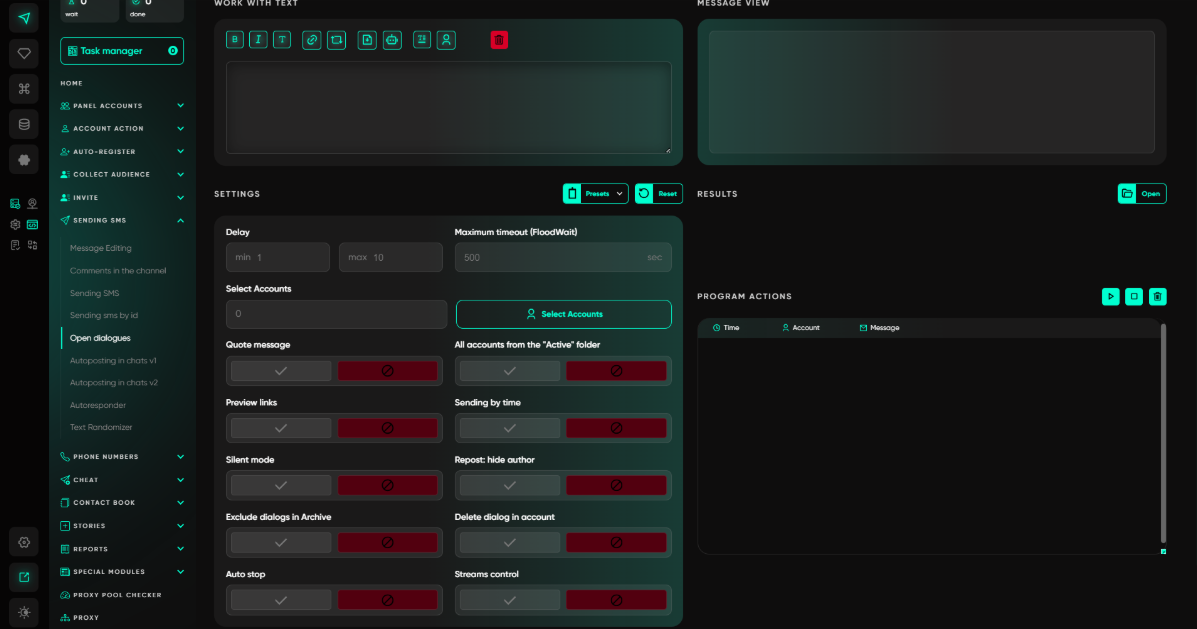
For example, after the first message, you can immediately send a prepared reply with further instructions while the operator joins the conversation.
However, a completed operation in Telegram Expert refers to the operation inside the program itself. It does not show whether the person read the message, replied later, or became a customer. In the report generator, the Done status indicates that an operation was completed successfully.
Therefore, the final result of an advertising campaign must be checked separately. This requires your own tracking of inquiries, qualification, and subsequent actions.
Find the First Discrepancy in a Single Campaign Run
For testing, it is easier to use one campaign, one traffic stream, and one destination. Set the period and time zone, then save the advertising metrics.
After that, compare the data in this order:
- the number of clicks in the advertising system;
- the number of requests to the server;
- successful page loads;
- click-throughs on the Telegram link;
- opening the channel, bot, or conversation;
- subscriptions, launches, or messages;
- incoming inquiries appearing for the operator;
- subsequent inquiry handling.
If there are far more clicks than requests, check metric definitions, redirects, the browser, and tracking.
If there are many requests but few successful loads, check page errors, speed, and destination availability.
If the page works but Telegram opens inconsistently, test the link in different clients and on different devices.
If Telegram opens but there are few final actions, examine the destination's content and the user's flow.
If messages arrive but the operator cannot see them, check how incoming messages are distributed across accounts. Telegram Soft Expert can collect personal inquiries in a shared work group so the operator can continue replying from the original account.
Change one significant element after each test. If you replace the page, link, audience, and account at the same time, the comparison will no longer show which change affected the result.
How to Identify Where Users Are Dropping Off
It is useful to summarize your observations in a working table:
| What the Statistics Show | What to Check Next |
| Clicks are present, but there are almost no requests | Advertising metric definitions, redirects, browser, tracking |
| Requests are present, but few page loads | Page errors, speed, availability, region |
| The page loads, but Telegram does not open | Telegram link, client, device |
| Telegram opens, but subscriptions are low | Channel content, audience, advertising expectations |
| The bot opens, but there are few launches | Start button, flow, and clarity of the next step |
| Messages arrive, but the operator cannot see them | Account distribution and incoming conversations |
| Messages are handled, but there are few leads | Qualification, offer, response content |
This analysis helps move from an overall metric to a specific part of the process. You can then test an individual technical or content-related factor and repeat the measurement.
What to Check Before Contacting Support
Before reporting the issue to the advertising platform, page owner, or Telegram team, collect data for the same time period.
Save advertising metrics, server statistics, transition parameters, and data by region and device. For Telegram, separately record the destination type and the user's actual action.
If several accounts are used, record when the inquiry appeared and which account received it. When working with Telegram Expert, you can compare this moment with the work group and operation reports.
This gives the team a specific point to investigate. For example, you can show that clicks and server requests match, the page loads, and Telegram opens, but the proportion of messages drops sharply in a particular segment.
This data set is much more useful than a single CTR or click-count metric.
FAQ
Does a high CTR mean the traffic is high quality?
CTR shows how people respond to an ad. It does not confirm that the page loaded, that the user moved to Telegram, subscribed, or started a conversation.
If the ad account shows clicks but the server sees fewer requests, is it fraud?
This discrepancy is enough to warrant further investigation. Possible causes include different event definitions, redirects, users closing the page, built-in browsers, loading errors, or analytics-specific behavior.
Can the Bot filter determine that a visitor was a bot?
The filter shows the condition that placed a visit in the corresponding category. To assess specific traffic, compare this attribute with other data and actual behavior.
Why does Telegram open, but the user does not subscribe?
There may be several reasons: destination content, advertising expectations, audience characteristics, the transition flow, or the behavior of a particular Telegram client.
Can a Telegram bot receive the user's source through a parameter?
Yes. Telegram supports deep links with a start parameter. The bot receives the passed value when it starts, provided that the bot's flow is configured to process it.
What does Telegram Expert show when handling incoming messages?
The “Forwarder” lets you collect incoming messages from selected accounts in a work group and reply from the original accounts. Telegram Expert reports reflect the execution of operations inside the program.
When are transition statistics not enough?
When the drop-off occurs after Telegram opens. Incoming traffic statistics help investigate the journey up to the destination, but reasons for low subscriptions, bot launches, response quality, or further conversion require separate data.