A proxy is as much a working tool as a tracker or a cloaking service. The address decides whether you can sign in to an ad account, which page the filter serves and whether the visitor's geo matches the campaign settings. This review covers what Proxys.io offers: which proxy types are available, how they differ and how to use them alongside Cloaking Master.
What Proxys.io is
Proxys.io is a proxy rental service that has been working since 2016. Every type of address lives in one dashboard: datacenter, mobile and residential proxies are bought and renewed from a single account.
The service covers tasks where a stable address and a matching geo are what matters: running ad accounts, managing multiple profiles in anti-detect browsers, checking landing pages and search results from a specific country, parsing and automation. For cloaking it is basic infrastructure - without a set of addresses of your own you cannot test the filters you configured or look at a funnel the way a user from the target country sees it.
Available proxy types
Datacenter proxies
These are addresses from data centers and the basis of the static plans. The catalogue has individual IPv4 used by you alone, shared IPv4 split between up to three users, plus IPv6 and rotating IPv6. Billing goes by rental period, and the address stays yours for the whole term.
Datacenter proxies are stable and the most affordable, but their network type is detected as hosting. For some platforms and filters that reads as automated traffic rather than a live user, so for sensitive tasks other plans are usually the better choice.
Mobile proxies
IPs of real mobile carriers. For social networks and ad platforms these are the addresses with the highest level of trust: the address belongs to a carrier network, the one most live users reach apps through, and its network type is detected as mobile rather than hosting.
The catch is that the address can change without your involvement, after a reconnection to another cell tower or because of the carrier's own policy. If a task needs the address to stay the same for weeks, that is worth planning for.
Residential proxies
Addresses of home internet providers billed by traffic. The rental period plays no role here, only the volume is spent. You create a list in the dashboard: pick the country and the rotation interval, and get a domain with a port instead of a plain IP, along with a login and a password.
When you need a residential address that does not change, the catalogue has premium IPv4 - static home provider addresses assigned to a single user.
Key features
Protocols. Every proxy works over both HTTP(S) and SOCKS5. There is no protocol to choose at purchase: one address comes with two ports, and whichever port you enter in your software is the protocol you use.
Delivery. Orders are processed automatically at any hour of the day: proxies appear in the dashboard right after payment.
Geolocations. The set of countries depends on the type. Static plans cover dozens of countries, the residential pool covers more than 240, and the current list is visible in the order form.
Authorization. Two options are available: by login and password, or by IP, when the proxy only answers from your own address. The first is universal and suits anti-detect browsers, the second is convenient for server-side scripts.
Support and refunds. Support answers around the clock, and if the proxies turn out to be unsuitable, you can request a refund within 24 hours of payment.
Choosing a proxy for the task
The choice comes down not to price but to two factors: how closely the address has to resemble an ordinary user, and how stable it has to stay.
For ad accounts and social network profiles, mobile and premium IPv4 are the fit - they carry a high trust level and the address stays yours. One rule applies here: one account, one proxy, because a shared address links accounts to each other.
Landing pages, search results and filters from different countries are cheapest to check on traffic-billed residential proxies: a short session costs tens of megabytes, and the pool covers enough countries for any funnel.
For parsing, checkers and automation, where speed and request volume matter, datacenter proxies are the usual choice: individual IPv4 or IPv6.
When the work runs continuously from one address, individual or premium IPv4 both work - which one depends on how strictly the platform treats the network type.
Using Proxys.io alongside Cloaking Master
Cloaking Master filters traffic by country, language, device, operating system, browser, network type, provider, User-Agent and referrer, and flags VPN, proxy and hosting separately. Proxies serve as the testing tool in this pair: without an address in the right country you will not see what the filter actually serves to a visitor.
Running ad accounts. The account a campaign is launched from is kept on its own stable address in the country you work with. A change of IP and country between sessions is one of the reasons a platform takes a closer look at an account, so every account gets its own proxy and that proxy is used nowhere else.
Testing pages from different GEOs. Before launch, the funnel is opened from addresses in every target country to see which page comes up. Traffic-billed residential proxies suit this best: there is no need to rent a separate address in every country for a month ahead, and only the volume you actually use is spent.
Checking traffic filters. The VPN/Proxy/Hosting filter is the thing to keep in mind here. Open the funnel from a datacenter address and the filter will detect hosting and serve the white page. That is not a misconfiguration but the expected behaviour of the rule: to see what a real visitor sees, run the check from a residential or mobile address. The dashboard meanwhile keeps detailed information on every visit, which is what you check the result against the campaign settings with.
Buying and getting the connection details
- Open Proxys.io and create an account, or sign in to an existing one.
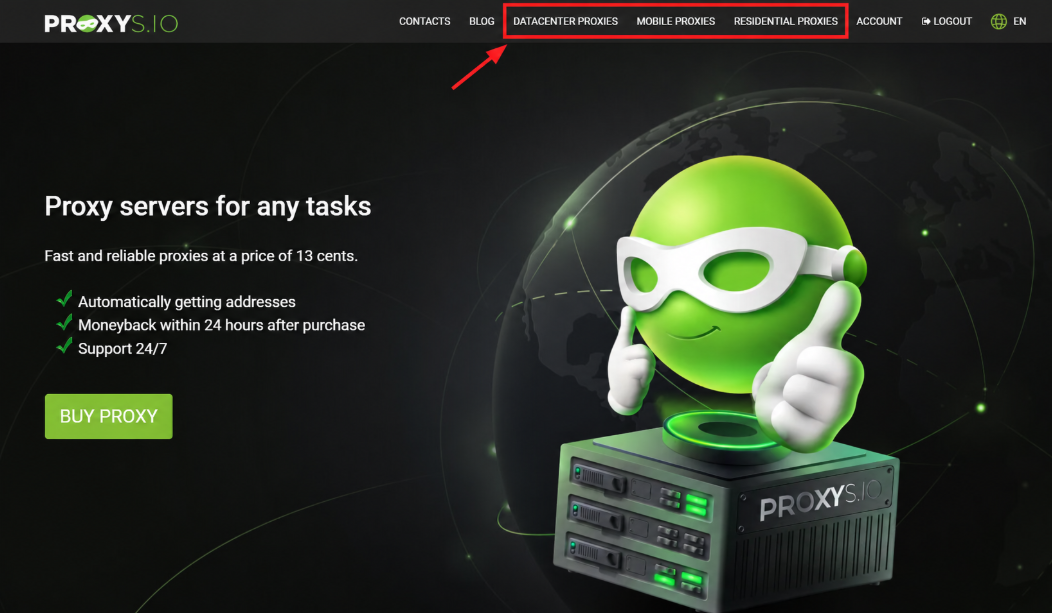
- Choose the section for the type you need: datacenter, mobile or residential proxies.
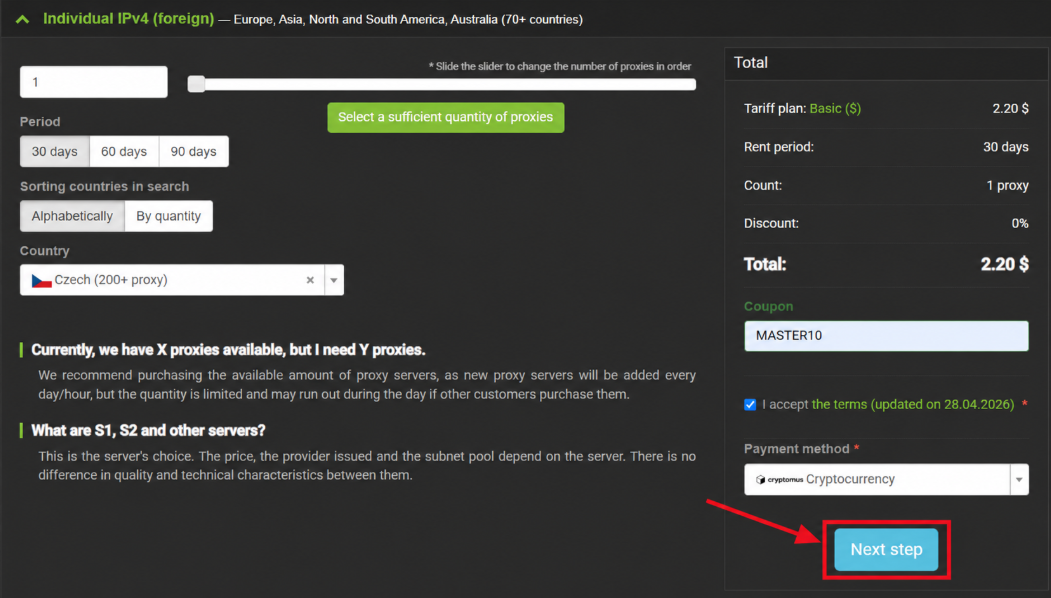
- Set the parameters: country, rental period and quantity. For residential proxies, the traffic volume in gigabytes replaces the period.
- Enter a promo code and choose a payment method.
- Pay for the order. Proxies are activated automatically and appear in your dashboard.
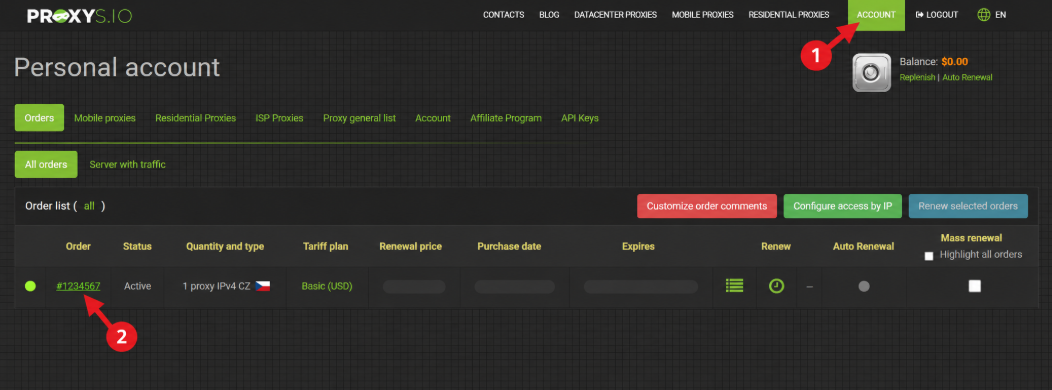
Each proxy in the dashboard comes with an IP address (a domain for residential ones), a port for HTTP(S), a separate port for SOCKS5, a login and a password. These are the values you enter in an anti-detect browser, a tracker or a script. The same place is where IP authorization is set up, the rental is extended and more traffic is topped up.
Promo codes
Two promo codes are available to Cloaking Master readers at Proxys.io:
- MASTER10 - 10% off all static proxies;
- CLOAKUP - 35% off residential proxies billed by traffic.
The code is entered in the order form before payment and cannot be applied to an order that has already been paid.
Conclusion
Proxys.io covers the full set of addresses a funnel needs: datacenter proxies for volume and automation, mobile and premium IPv4 for accounts, traffic-billed residential proxies for checks from different countries. HTTP(S) and SOCKS5 come with every address, delivery is automatic, support works around the clock, and proxies that do not fit can be returned within a day.
Together with Cloaking Master, proxies become a control tool: they let you look at a campaign through the eyes of a visitor from the target country and confirm that the filter serves the right page to the right people. The easiest way to start is a small amount of residential traffic for checks and one stable address for the ad account.