
Telegram Expert
Managing Multiple Telegram Accounts: How to Connect Accounts, Databases, and Conversations in Telegram Expert
When you work with multiple Telegram accounts, the process quickly becomes more than simply logging into profiles and sending messages. The same data set may need to be prepared for several accounts, proxies and sessions have to be stored separately, results checked in different places, and user replies tracked down again across the working profiles.
The challenge is not just the number of accounts. Individual actions start breaking into separate, disconnected tasks. First you have to organize the accounts themselves, then prepare the data, launch the communication process, and only after that handle the replies.
That is why it is more convenient to build the workflow around a shared working environment rather than around individual profiles.
Managing Multiple Telegram Accounts Is Easier from a Single Dashboard
With a large number of profiles, switching between them manually becomes a task in itself. You need to remember which account belongs to a particular job, where its session is stored, which proxy is assigned to it, and which actions have already been completed.
Telegram Soft Expert brings this information together in a single dashboard. You can manage accounts, sessions, proxies, folders, statuses, two-step verification, and imports of existing Session and TDATA data. Group actions are supported for selected accounts, so the same operation does not have to be repeated manually for every profile.
This changes the way the work is organized. Accounts are no longer a collection of separate Telegram windows, but a shared working group in which you can select the profiles you need and continue the task.

Group Actions Are Useful When the Same Operation Has to Be Repeated
Suppose several accounts are used for the same project. The manual approach means opening each profile, finding the required setting, changing it, and then moving on to the next account.
In Telegram Expert, you can select a group of accounts and apply a supported action to them at once. For example, you can change the name, username, profile photo, bio, privacy settings, or two-step verification settings.
The grouping remains fully controllable. You do not have to run an action on the entire list; you can select only the accounts you need.
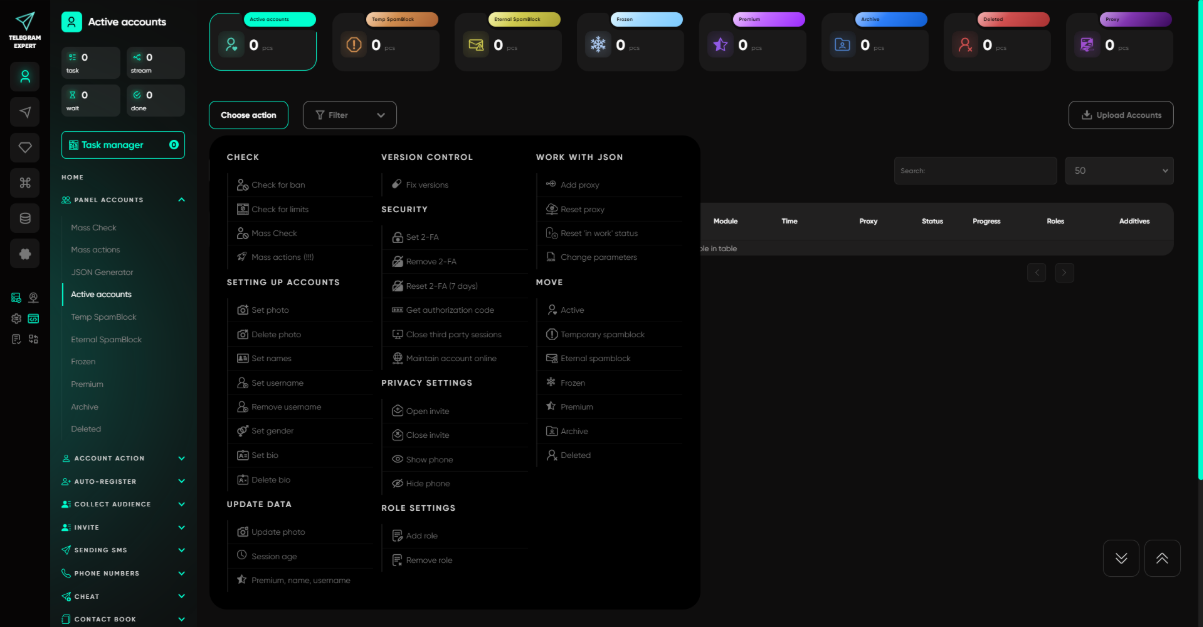
This makes the accounts the first layer of a unified workflow. The next layer is no longer about the profiles themselves, but about the data they work with.
Prepared Data Should Not Have to Be Recreated Every Time
In many workflows, an account does not work with one fixed group of users. First a database is collected, then it needs to be checked, processed, and passed to the next stage.
In Telegram Soft Expert, the database is part of the workflow itself. The software can work with parsing and result databases, as well as processing statuses for individual records. For example, Ready means a record is waiting to be processed, Taken means it is currently being processed, and Done means the action has been completed.
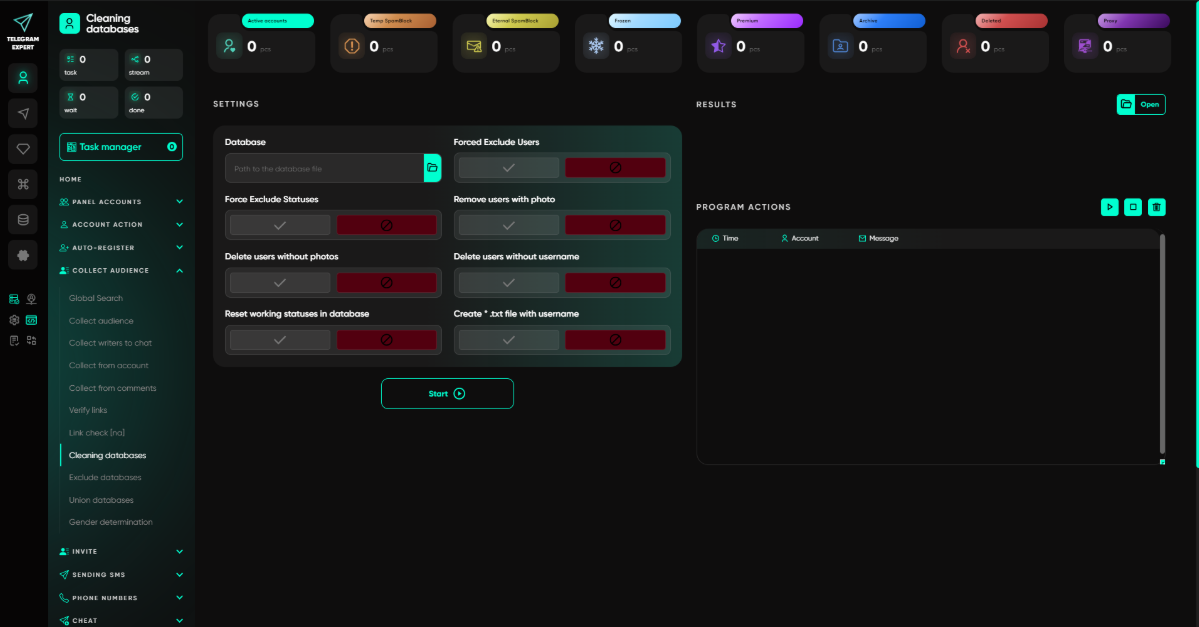
The important point is not so much the statuses themselves as the ability to continue working with data that has already been prepared.
If a task is stopped before processing is complete, you do not always need to collect the database again. Telegram Expert allows databases to be reused and processing to continue with records that have not yet been completed. In some scenarios, it is enough to move the required records from Done back to Ready, after which the program can process them again.
One Database Can Become the Basis for the Next Action
The value of this approach is in the sequence of steps.
First, the user obtains the source data. It is then processed, and the database stores not only the data itself but also the result of the operation. At the next stage, the prepared records can be reused instead of collecting the same data set from scratch.
For example, Telegram Expert can work with databases containing Telegram IDs, usernames, phone numbers, and other fields used in the relevant communication scenarios.
This means the database is more than a simple export. It preserves the state of a specific task and can be used again at later stages.
This becomes especially important at scale. When tens of thousands of records are being processed, the lack of state tracking turns any interruption or restart into a manual recheck. With statuses in place, you can see what has already been completed, what is being processed now, and which records still require attention.
Communication Starts After the Data Has Been Prepared
The next stage follows naturally from the previous one. Prepared records are useful only if they can be used in actual work.
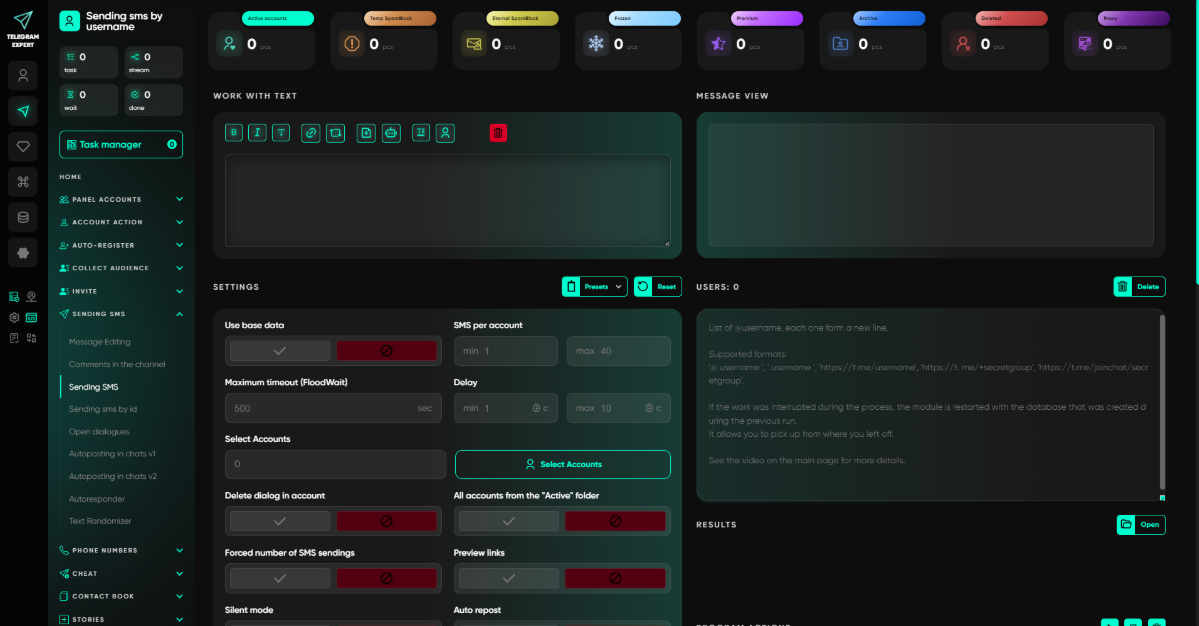
Telegram Soft Expert supports several communication methods, including sending by username, Telegram ID, phone number, and contacts. It also supports working with conversations that already exist.
This is where the connection between the database and the account becomes clear. The user does not have to move the results of one stage into another manually. The prepared data remains in the same working environment and can be used in the next task.
Existing Conversations Require a Different Approach
When a conversation with a user already exists, the situation is different from sending messages to a new database.
Telegram Expert includes a separate module for working with open conversations. It is designed for scenarios where a conversation already exists on an account and needs to be continued.
This separates two different tasks. In the first case, the work starts from a prepared list of users. In the second, a conversation already exists, so the dialogue itself becomes the starting point.
This distinction is especially important when several accounts are involved. Otherwise, after a bulk operation you have to search manually for which profile received a new reply and which user it belongs to.
Incoming Messages Can Be Collected in One Working Group
The most noticeable challenge appears after messages have been sent. The work does not end with the outgoing contact. A user may reply, and the operator needs to see that message and continue the conversation from the correct account.
For this purpose, Telegram Soft Expert includes the Forwarder module. It sends incoming replies from working accounts to a single Telegram group where an operator can handle them. A reply sent from that group is delivered to the user through the account on which the conversation originally appeared.
The work does not end after a message is sent. A user may reply, and the operator then needs to see the incoming message and continue the conversation from the account that sent the original message. In Telegram Expert, these messages can be forwarded to one working group. The operator receives them in the familiar Telegram interface and replies there, while the response is sent back to the user through the original account. This removes the need to constantly switch between profiles to monitor new inquiries and continue conversations.
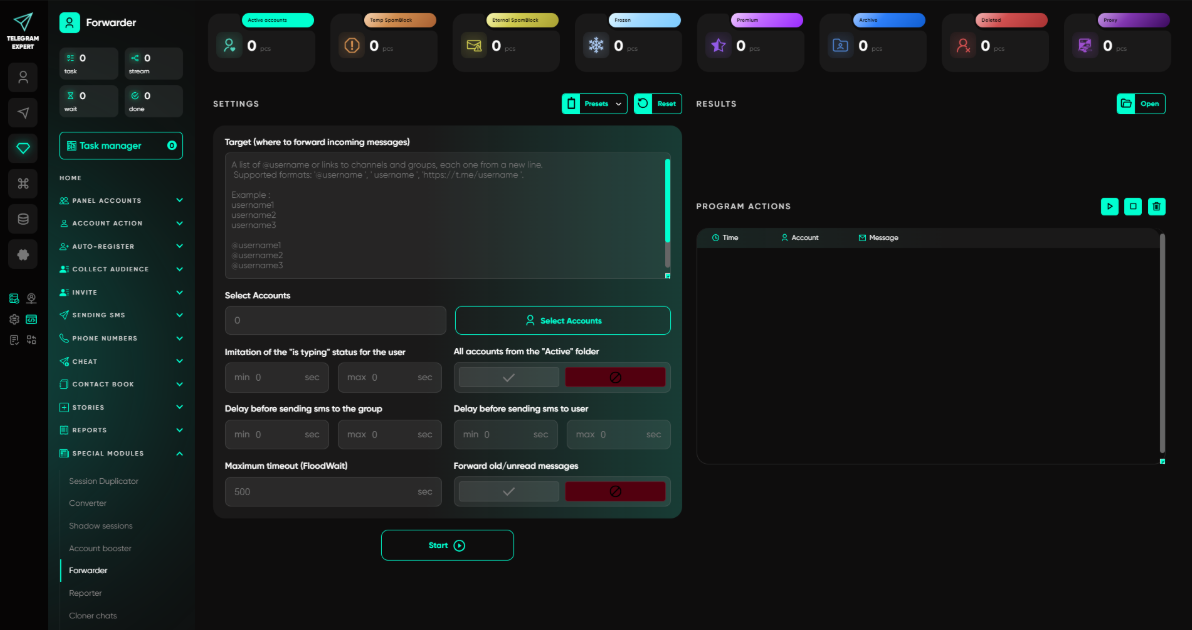
This is more than automation of a single action. Several accounts continue to work as independent communication points, while the operator no longer has to open every profile separately all the time.
Recurring Incoming Scenarios Can Be Automated
For simple, repetitive inquiries, Telegram Expert provides an auto-reply module. It allows automatic responses to incoming messages to be configured.
At the same time, this tool does not replace the operator's full work and does not make the program a customer relationship management system. Its purpose is narrower and more specific: to remove some of the repetitive actions involved in handling incoming messages.
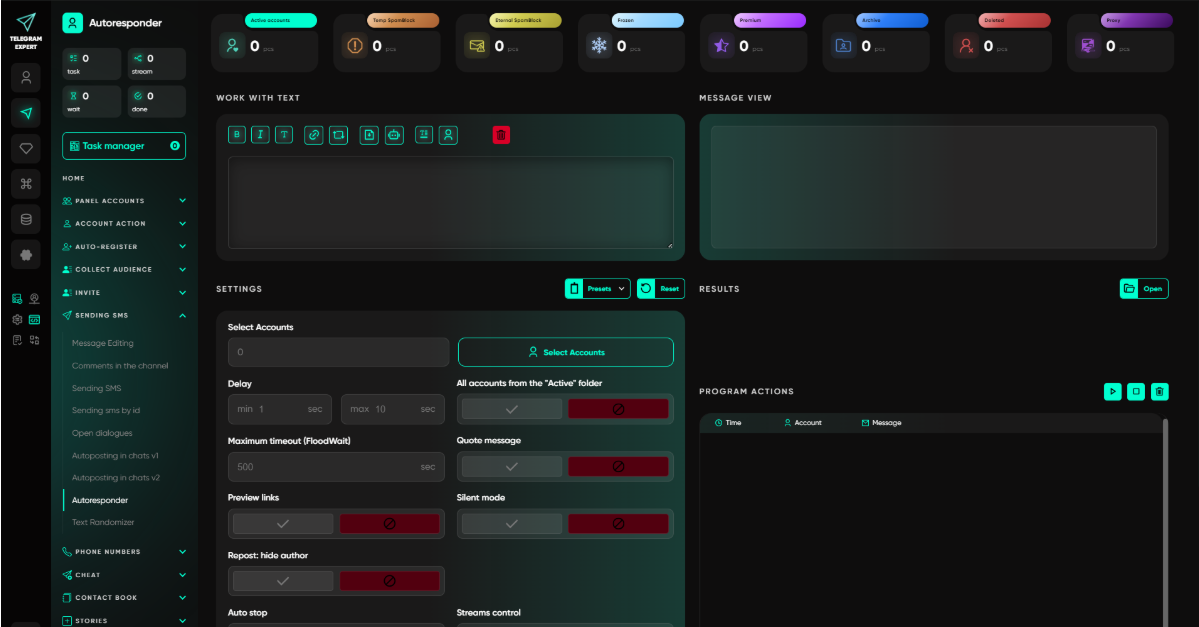
As a result, different types of communication can be separated by task. When a predefined response is enough, the auto-reply module can be used. When an operator is needed, messages can be collected in a shared group through the Forwarder module. When a conversation is already open, the existing-dialogue workflow is used.
Telegram Expert Connects Accounts, Data, and Conversations in One Workflow
The main advantage of this approach is not the number of individual modules. What matters more is that the different stages do not have to be assembled manually every time.
Accounts are kept in one dashboard. Their working parameters can be stored and assigned there, profiles can be grouped, and supported actions can be run for several accounts at once.
Data is stored in databases together with its processing status. This makes it possible to continue interrupted tasks and reuse prepared records at later stages.
The data then moves into communication. Telegram Soft Expert works with several types of identifiers and supports existing conversations.
When users reply, incoming messages can be centralized for the operator, and responses can be sent back through the original account.
The result is a coherent workflow: first the accounts are organized, then the data is prepared, communication is launched, and replies are handled. Telegram Expert does not replace Telegram or remove its limitations. It takes over repetitive operations around accounts, data, and communication and brings them together in one working environment.